Table of Contents
A bad power supply won’t just hurt performance; it can quietly destroy the most expensive parts of your PC.
Most people overpay for a power supply they don’t actually need, or worse, they buy a cheap one that can damage their entire PC.
Choosing the right PSU isn’t about spending more. It’s about getting stable, reliable power without wasting money on features you’ll never use.
In this guide, you’ll learn exactly how to pick the best power supply for your build, and which models are actually worth it, based on a famous PSU ranking list.
How to Choose the Best PC Power Supply (Fast Guide)
The power supply unit is the only component that delivers stable power to every part of your PC, including your CPU, GPU, motherboard, storage, and so on, enabling it to run properly. It converts the AC from your wall plug into DC, which all electronic devices use.
To ensure that your PSU does a good job of converting power from one type to another, you need to get a good, reliable one from trusted brands in the market. If the PSU isn’t reliable, nothing else in your rig would perform as it should.
Bad, cheap, and low-quality power supply units can cause voltage spikes that will damage your components over time, voltage instability, system instability, and random shutdowns from time to time when you push them beyond their capabilities. In some rare cases, they can cause permanent damage to expensive parts like your GPU or motherboard.
Every PSU listed here comes from a rigorous, community-driven PSU ranking list written by the Cultists Network featuring trusted brands known for quality and safety. These models are chosen based on real testing, professional reviews, long-term reliability, and proven performance, not sponsored picks or random budget options.
To understand PSUs better, you should read about the basics of PSU wattage, which will be covered in the next section.
The Basics of PSU Wattage
First thing you need to think of when you’re choosing a PSU for your own build is the wattage. Different PCs require different amounts of power depending on their components; your GPU and CPU play a huge role when it comes to how much your build will consume.
Both are the main power-hungry parts, and together they usually make up 60–80% of your total power draw.
The GPU, for example, is usually the most power-hungry component in a modern PC and can consume anywhere from 40% to 70% of the total system power, depending on the build.
Most modern CPUs, on the other hand, draw between 65W and 250W, depending on the model and its respective clock speeds in GHz.
Now, let’s take my PC as an example to demonstrate my point:
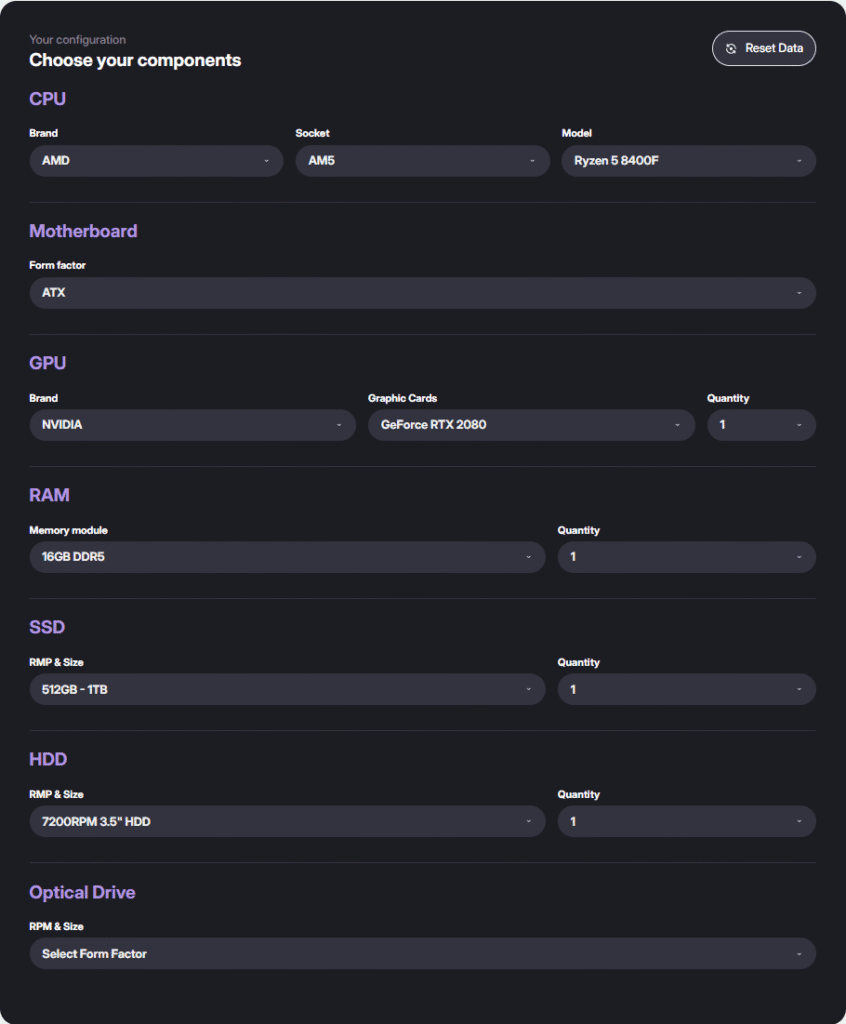

My PC needs exactly 395W for it to run (As per Cooler Master’s PSU calculator tool), but as a rule of thumb, you need to add from 100W to 150W as a headroom for your PC to run comfortably, or if you need to upgrade something in the future.
So let’s say I have a 550W unit. My GPU would take approximately ~45% of the PSU, which is approximately ~240W, that’s insane!
The GPU power consumption is strictly tied to its architecture, meaning that a 10-series GPU, such as the GTX 1080 Ti, will draw 250W, more than a 40-series GPU, such as the RTX 4060, which only needs 115W (The Ada Lovelace architecture is more power-efficient than the Pascal architecture).
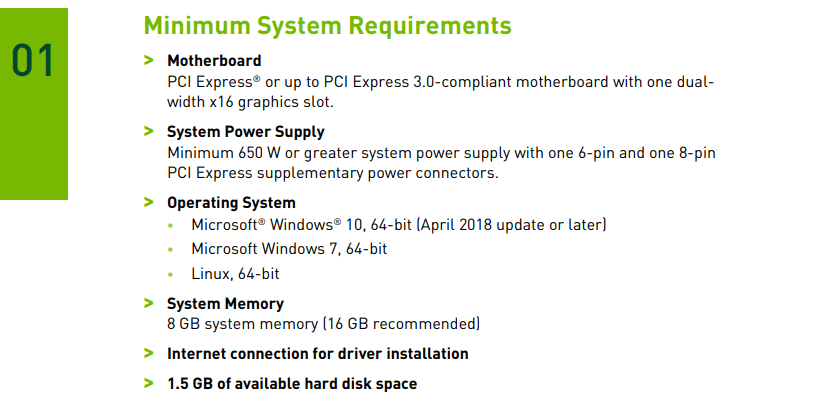
Well, I have a 650W Cooler Master model, and that’s the minimum requirement for an RTX 2080 as per the user guide that was made by Nvidia themselves.
PSUs from this article work perfectly fine for high-end 4K builds with the newest, enthusiast-class GPUs. Learn more about Nvidia 50 Series GPUs in our Ultimate Guide of 2025
How to Calculate PSU Wattage Needed?
To calculate the right wattage needed. First, start with your GPU’s power requirement, which is sometimes referred to as TDP (Thermal Design Power). You can obtain this information from your GPU’s manufacturer for the most accurate TDP rates, or from the TechPowerUp GPU database.
Second, you need to add your CPU’s power requirement, also known as TDP. You must get this information from your CPU manufacturer’s official website, either AMD or Intel, for the most accurate TDP rates.
Third, add 100–150W for the rest of your system, which covers your motherboard, your RAM, any SSDs or HDDs you might have, your case fans, including the AIO pump, and some misc accessories, if you have them.
Fourth, you must add a safety buffer, which usually takes from 20 to 30% to ensure that your PSU can handle occasional power spikes, run efficiently, and last longer.
Why You Shouldn’t Fully Rely on PSU Calculators (But Can Still Use Them)?
You could use a PSU calculator to calculate the PSU wattage needed for your PC, but keep in mind that:
- They add a big safety margin automatically: Most calculators add 20–40% extra wattage by default to avoid lawsuits or damaged PCs.
- They don’t account for actual GPU transient spikes: Modern GPUs (especially Nvidia 30/40 series) can spike 2× to 3× their rated wattage momentarily. Only high-quality PSUs + proper GPU tier knowledge help here; PSU calculators aren’t programmed to help with this.
- Some calculators are made by PSU brands: They intentionally overshoot your wattage recommendation so they can sell you a more expensive PSU. (Looking at you, Cooler Master & Seasonic calculators 😏)
- They can’t predict your upgrade plans: If you wanna upgrade a specific component, let’s say your CPU, the PSU calculator would only give you the exact amount of power you need for the build you inserted.
- They don’t know the quality of the PSU you’re choosing: For example, a good 650W Gold PSU can outperform a cheap 750W Bronze PSU.
Example of a PSU Calculation
Let’s calculate a mid-range build, which includes an RTX 3060 12 GB with a Ryzen 5 5600x:
| Component | Specification | Power Consumption (TDP) |
|---|---|---|
| CPU | Ryzen 5 5600X | 65W |
| GPU | RTX 3060 12GB | 170W |
| Motherboard | B550 (mid-range) | 70W |
| RAM | 32GB (2×16GB) | 10W |
| Storage | NVMe SSD (Optional HDD) | 10–20W |
| Case Fans | Up to 3 fans | 10W |
| Total Estimated Power | ~335W | |
| Recommended PSU | 550W–650W (80+ Bronze or better) |
Please note that the total estimated power is ~335W. You need to add from 100W to 150W for your PC to perform with ease (This will lead to a 550W PSU), and from 150W to 200W if you plan to upgrade a specific component in your PC in the near future (That will lead to a 650W PSU).
GPU Wattage Table (Really Helpful)
GTX 10-Series GPU Wattage Table (Pascal)
| GPU Model | Typical Power (TDP) |
|---|---|
| GTX 1050 | 75 W |
| GTX 1050 Ti | 75 W |
| GTX 1060 (6GB) | 120 W |
| GTX 1070 | 150 W |
| GTX 1070 Ti | 180 W |
| GTX 1080 | 180 W |
| GTX 1080 Ti | 250 W |
RTX 20-Series GPU Wattage Table (Turing)
| GPU Model | Typical Power (TDP/TBP) |
|---|---|
| RTX 2060 | 160 W |
| RTX 2060 Super | 175 W |
| RTX 2070 | 175 W |
| RTX 2070 Super | 215 W |
| RTX 2080 | 215 W |
| RTX 2080 Super | 250 W |
| RTX 2080 Ti | 250 W |
RTX 30-Series GPU Wattage Table (Ampere)
| GPU Model | Typical Power (TGP) |
|---|---|
| RTX 3060 | 170 W |
| RTX 3060 Ti | 200 W |
| RTX 3070 | 220 W |
| RTX 3070 Ti | 290 W |
| RTX 3080 | 320 W |
| RTX 3080 Ti | 350 W |
| RTX 3090 | 350 W |
| RTX 3090 Ti | 450 W |
RTX 40-Series GPU Wattage Table (Ada Lovelace)
| GPU Model | Typical Power (TGP) |
|---|---|
| RTX 4060 | 115 W |
| RTX 4060 Ti | 160–220 W |
| RTX 4070 | 200 W |
| RTX 4070 Ti | 285 W |
| RTX 4080 | 320 W |
| RTX 4090 | 450 W |
Short notes (read before you use the table)
- Numbers are practical approximations: They reflect recommended/typical board power figures often called TDP/TGP/TBP. Exact values differ by manufacturer (founders vs partner cards) and between SKUs (10GB/12GB variants, OC editions, compact/efficiency variants).
- Partner (AIB) cards can raise or lower the TGP: For example, an OC (Overclocked) model or a big triple-fan design may have a higher TGP than the FE (Founders edition) spec.
- Power spikes can exceed these numbers: Most modern GPUs can show transient spikes above TGP during heavy loads, which is why you should always add a headroom margin (20–30%) when choosing a PSU.
PSU Efficiency Ratings
The second factor to consider when selecting a PSU is its efficiency. I will explain that in simple terms shortly.
You see, when electricity is being converted from one type to another (AC to DC), it generates some heat as a form of wasted energy. Efficiency minimizes wasted energy; thus, higher efficiency means less wasted power, lower electricity bills, and less heat.
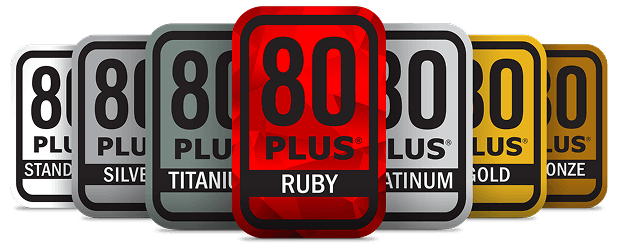
PSUs are rated with 80 Plus certifications: Bronze, Silver, Gold, Platinum, and Titanium. Gold-rated PSUs and beyond are usually ideal for most gaming or high-performance PCs.
High efficiency also means that the power supply unit will operate quietly because there will be less heat to dissipate, and thus the fans won’t spin at their full speed.
To make a high-efficiency unit, you will need the best and premium electronic components out there, thus making that unit highly reliable for everyday use. Efficiency and reliability are two sides of the same coin!
The table below demonstrates how each 80 Plus certification performs under different load levels:
| Certification | Efficiency @ 20% Load | Efficiency @ 50% Load | Efficiency @ 100% Load |
|---|---|---|---|
80 Plus (Basic) | 80% | 80% | 80% |
80 Plus Bronze | 82% | 85% | 82% |
80 Plus Silver | 85% | 88% | 85% |
80 Plus Gold | 87% | 90% | 87% |
80 Plus Platinum | 90% | 92% | 89% |
80 Plus Titanium | 92% | 94% | 90% |
Note: The badge icons above are illustrative and not official 80 Plus logos. Efficiency numbers are general reference values commonly used to explain the 80 Plus categories; consult the PSU manufacturer or certification documentation for exact test figures.
The Difference Between Modular vs Semi-modular vs Non-modular PSUs
The third aspect you would think of when you want to buy a power supply unit is the cable management style, which is not that important and doesn’t affect performance by any means; it’s just that premium and reliable PSUs from reputable brands come fully modular.
You will get different cable management solutions between the Modular, Semi-modular, and Non-modular PSUs:
- With a modular unit, you only plug in the cables you need. It’s for people who desire cleaner builds with improved airflow to their case.
- With a semi-modular unit, some cables are detachable, and some come fixed to the unit (Essential cables (like 24-pin motherboard and CPU EPS) are fixed).
- With a non-modular unit, all cables are fixed in place. It’s usually cheaper but messier inside the case.
Modular vs Semi-modular vs Non-modular PSUs: Pros & Cons
| PSU Type | Pros | Cons |
|---|---|---|
| Fully Modular |
|
|
| Semi-Modular |
|
|
| Non-Modular |
|
|
Note: Fully modular PSUs offer the best cable management and airflow, while non-modular units are budget-friendly but less tidy. Semi-modular strikes a balance between the two.
PSU Brand Reliability 101
Most Trusted PSU Brands
- Seasonic: Best overall quality; they manufacture for other brands. Known for stable power, long-lasting components, and quiet operation.
- Corsair: Huge lineup for all budgets. The RM/RMx/HX/AX series is extremely reliable. Great warranties.
- EVGA: Strong warranty support; SuperNOVA G-series units often use high-end OEMs (Seasonic, Super Flower).
- Super Flower: Premium performance; creator of the famous Leadex platform used in many top-tier PSUs.
- Be Quiet!: Excellent acoustics, efficient, and premium internal components. Perfect for silent builds.
- ASUS ROG: Expensive but high-quality with good thermals and premium capacitors.
- MSI: Reliable mid-range PSUs with solid protections and low noise.
- FSP: Known OEM that also makes its own retail units; dependable at good prices.
Mini Checklist: How to Pick a Reliable PSU Brand
✔ Choose Seasonic, Corsair, EVGA, Super Flower, or Be Quiet! for top-tier reliability.
✔ Avoid unknown brands with no detailed reviews or certifications.
✔ Check the 80 Plus certification rating (Bronze/Gold/Platinum).
✔ Look for fully modular designs (easier cable management & quality indicator).
✔ Prioritize Japanese capacitors, OCP/OVP/OTP protection, and long warranties (7–10 years).
✔ Read user reviews focused on coil whine, noise, and 12V/5V main cables voltage stability.
Build-Specific PSU Recommendations
Budget 1080p Gaming Build
| Component | Specs | Why / Notes |
|---|---|---|
| CPU | Ryzen 5 5600 / Intel i5-12400F | Budget CPUs rarely exceed 90W |
| GPU | RTX 3060 / RX 6600 | These GPUs pull around 130–170W |
| RAM | 16GB | Standard memory for 1080p gaming builds |
| Storage | 1–2 SSDs | Minimal power draw with fast storage |
| Recommended PSU | 550–650W | Plenty of headroom for future upgrades |
Mid-Range 1440p Gaming Build
| Component | Specs | Why / Notes |
|---|---|---|
| CPU | Ryzen 5 7600 / Intel i5-13600K | Mid-range CPUs can spike around ~190W under load |
| GPU | RTX 4060 Ti / RTX 4070 / RX 7700 XT | Mid-range GPUs draw between ~200 to 250W of power, they need enough PSU headroom |
| RAM | 32GB | Enough for 1440p gaming + multitasking |
| Storage | 2–3 SSDs | It requires minimal additional wattage power |
| Recommended PSU | 650–750W | Provides safe margin for GPU + CPU spikes or if you need to upgrade something |
Upper-Mid 1440p / Entry 4K Build
| Component | Specs | Why / Notes |
|---|---|---|
| CPU | Ryzen 7 7800X3D / Intel i7-13700K | High-end CPUs can spike ~200-260W under load |
| GPU | RTX 4070 Ti Super / RX 7900 GRE | High-end GPUs can draw power from ~280 to 320W; reliable and good quality PSU is needed |
| RAM | 32–64GB | Supports gaming + content creation |
| Storage | 2–3 SSDs | It doesn’t require too much additional wattage power |
| Recommended PSU | 750–850W | Safe margin for CPU + GPU voltage spikes + it’s for the sake of your PC to run at ease |
High-End 4K Gaming Build
| Component | Specs | Why / Notes |
|---|---|---|
| CPU | Ryzen 7/9 or Intel i7/i9 | High-end CPUs can draw from ~200 to 280W of power under load |
| GPU | RTX 4080 / RX 7900 XTX | Such GPUs require around ~320–380W and a strong, stable PSUs with premium japanese internal components |
| RAM | 32–64GB | More than enough for gaming, content creation or heavy multitasking |
| Storage | 2–3 SSDs | Requires minimal additional wattage power |
| Recommended PSU | 850–1000W | Provides your high-end GPU and CPU with enough power, if you need to upgrade something in the near future just add 100W to the equation |
Enthusiast / Overclocking / High End Desktop
| Component | Specs | Why / Notes |
|---|---|---|
| CPU | Ryzen 9 7950X / Intel i9-14900K | High-end CPUs with overclocking can draw 200W+ |
| GPU | RTX 4090 | High-end GPUs can reach as far as 600W power consumption; they require a solid, robust PSU from a trusted, reputable brand |
| RAM | 32–64GB | Perfect memory size for gaming, multitasking, and content creation |
| Storage | 2–4 SSDs | It requires minimal additional power with the benefit of fast storage for large files and workloads |
| Cooling | High-end AIO watercooling | Extra power is needed for the pumps |
| Recommended PSU | 1000–1200W | Ensures stability under extreme load and overclocking |
PSU Protections 101: Keeping Your Components Safe
As a way of protecting your PC and preventing damage to its components, most modern power supply units come with multiple built-in protections. There are many of them, so I’ll list the most popular ones:
OCP: Over Current Protection
As the name suggests, OCP protects your PC from excessive current (measured in amperes) flowing through the PSU’s power rails toward your hardware components, preventing overheating and potential damage. The PSU would shut itself down to keep your PC safe and sound!
OVP: Over Voltage Protection
Same as OCP, but this time it’s the other way around. OVP protects your PC from excessive voltage (measured in volts) and ensures that your PSU doesn’t deliver high voltages beyond safe limits, which would damage sensitive components like your CPU, GPU, or motherboard.
SCP: Short Circuit Protection
The SCP concept inside a PSU is very simple; it works by detecting a short circuit anywhere in your PC as it happens and shuts itself down to prevent fire, smoke, or even permanent hardware damage.
OPP: Over Power Protection
To fully understand the OPP concept and how it works. Let’s say I have a 650W PSU. If I pushed my build too hard and it started drawing more than 650W of power, the PSU would eventually shut itself down safely. That prevents sudden components from overheating, system instability, and potential hardware failure.
The Best PC Power Supplies in 2025
Choosing the best pc power supply in 2025 can be quite overwhelming, with new models being manufactured every year, following new standards that didn’t exist in the past 5 to 6 years (ATX 3.1 / PCIe 5.0 standards).
The right PSU for your setup should balance efficiency, future‑proofing, and reliability all at once, and with that in mind, some PSUs stand out more than others.
Based on expert reviews and trusted-tier lists, here are some of the top power supplies to consider this year:
| PSU Model | Wattage | Efficiency/Tier | Modular | Build Type | Notes |
|---|---|---|---|---|---|
| Seasonic Focus GX‑650 | 650W | 80+ Gold/Tier A | Fully Modular | Budget / Mid-range 1080p / 1440p | Reliable, stable power, long-lasting brand |
| be quiet! Straight Power 11 650W | 650W | 80+ Bronze | Fully Modular | Silent Mid-range / 1080p gaming | Extremely quiet operation, high build quality |
| Super Flower Leadex VII Gold 850W | 850W | 80+ Gold/Tier A | Fully Modular | Mid-high performance / 1440p gaming | Strong voltage regulation, premium internals |
| Corsair RM750x | 750 W | 80+ Gold/Tier A | Fully Modular | Mid-to-high performance / 1440p gaming | Strong 750W from a proven brand |
| Corsair RM850x | 850W | 80+ Gold/Tier A | Fully Modular | Mid-range 1440p / 4K | Quiet operation, good warranty, headroom for future GPU |
| FSP Hydro PTM X PRO 850W | 850W | 80+ Platinium/Tier A | Fully Modular | High-performance / 1440p or 4K | Efficient, reliable for demanding builds |
| Corsair RM1000e | 1000W | 80+ Gold/Tier A | Fully Modular | Extreme HEDT / Enthusiast | Stable for very powerful GPUs, future-proof |
| Seasonic Focus GX-1000 | 1000W | 80+ gold/Tier A+ | Fully Modular | High-end / Overclocking / HEDT | Top-tier efficiency, rock-solid voltage, long-term reliability |
| Thermaltake Toughpower GF3 1200W | 1200W | 80+ Gold/Tier A | Fully Modular | High-end 4K / Overclocking / HEDT | High wattage, handles GPU/CPU spikes, overclocking ready |
| NZXT C1200 | 1200 W | 80+ Gold/Tier A | Fully Modular | High-end / Overclocking / HEDT | Great wattage, good build quality, ATX3-ready |
Seasonic Focus GX‑650
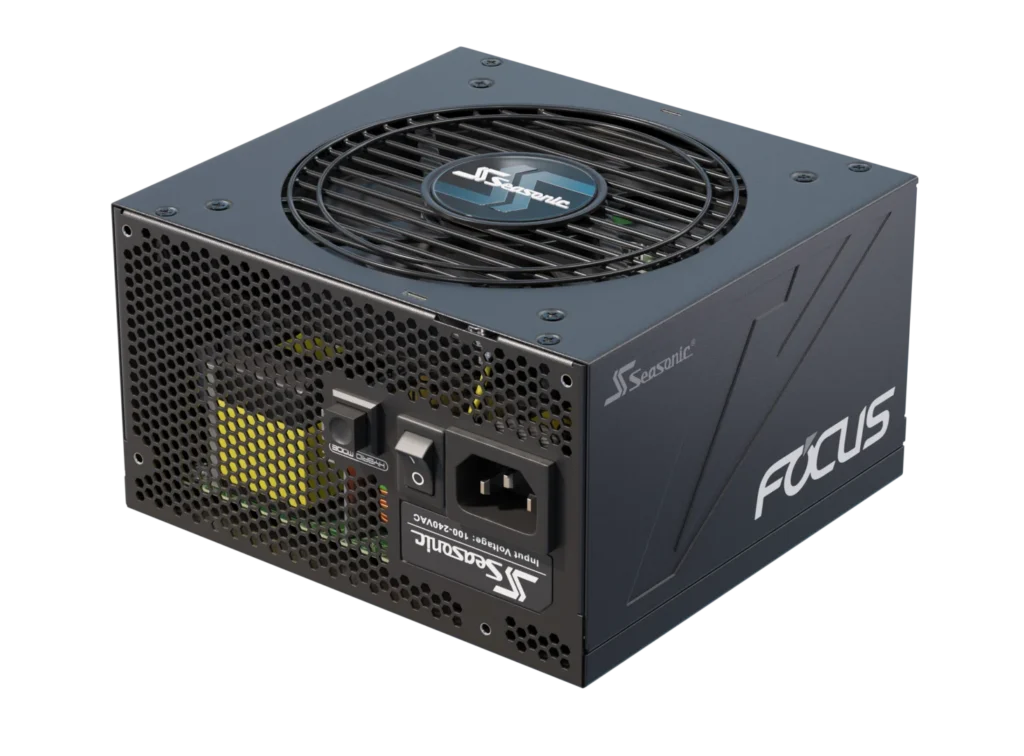
The Seasonic Focus GX-650 is a 650W, 80 PLUS Gold-certified, fully modular ATX power supply known for its high efficiency and reliability. It comes with a full set of safety protections to keep your PC safe, including the OPP, OVP, UVP, OCP, OTP, and SCP.
It features a high-reliability 120mm fan that runs quietly under typical loads, thanks to the Fluid Dynamic Bearing, and can operate in a semi-passive mode to minimize noise when your system isn’t active.
It’s recommended for budget 1080p and mid-range 1440p builds requiring a reliable and strong PSU with high-quality Japanese capacitors. It’s particularly well-suited for users who want a dependable, long-lasting PSU that won’t be overkill or underpowered.
It’s a tier A, meaning it’s a high-efficiency unit converting AC to DC and has stable power delivery, and is built with good internal components. This model specifically is backed by a strong 10-year warranty.
be quiet! System Power 11 650W
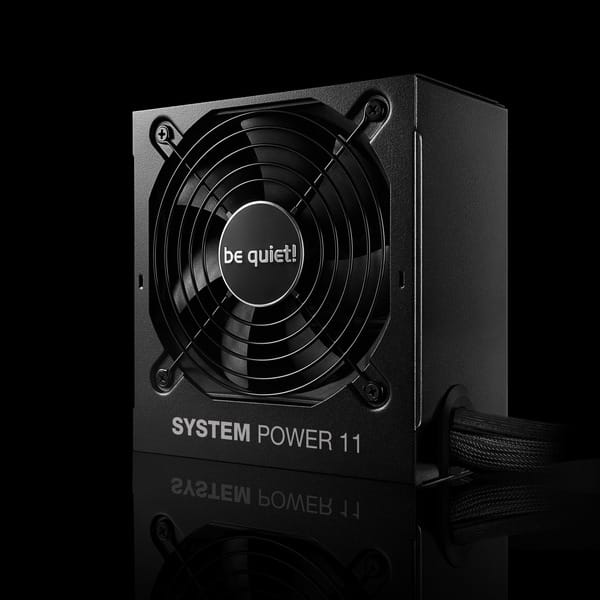
The be quiet! System Power 11 is a quiet and reliable 650W PSU supporting modern standards such as the ATX 3.1 and PCIe 5.1 12V-2×6 450W (a specific power connector for high-end graphics cards that is backward compatible with the oldest 12VHPWR standard) for modern high-end GPUs with 6+2 pin connectors.
It features an 80-plus bronze certification, meaning that its efficiency at converting power from AC to DC is up to 89.7%. It includes a long list of safety protections, including:
- OTP (over temperature protection)
- OCP (overcurrent protection)
- OPP (over-power protection)
- SCP (short circuit protection)
- OVP (over-voltage protection)
- UVP (under voltage protection)
- SIP (Surge & Inrush protection)
It’s also recommended for budget 1080p and mid-range 1440p builds that require a stable, strong 12V rail.
Super Flower Leadex VII XG 850W
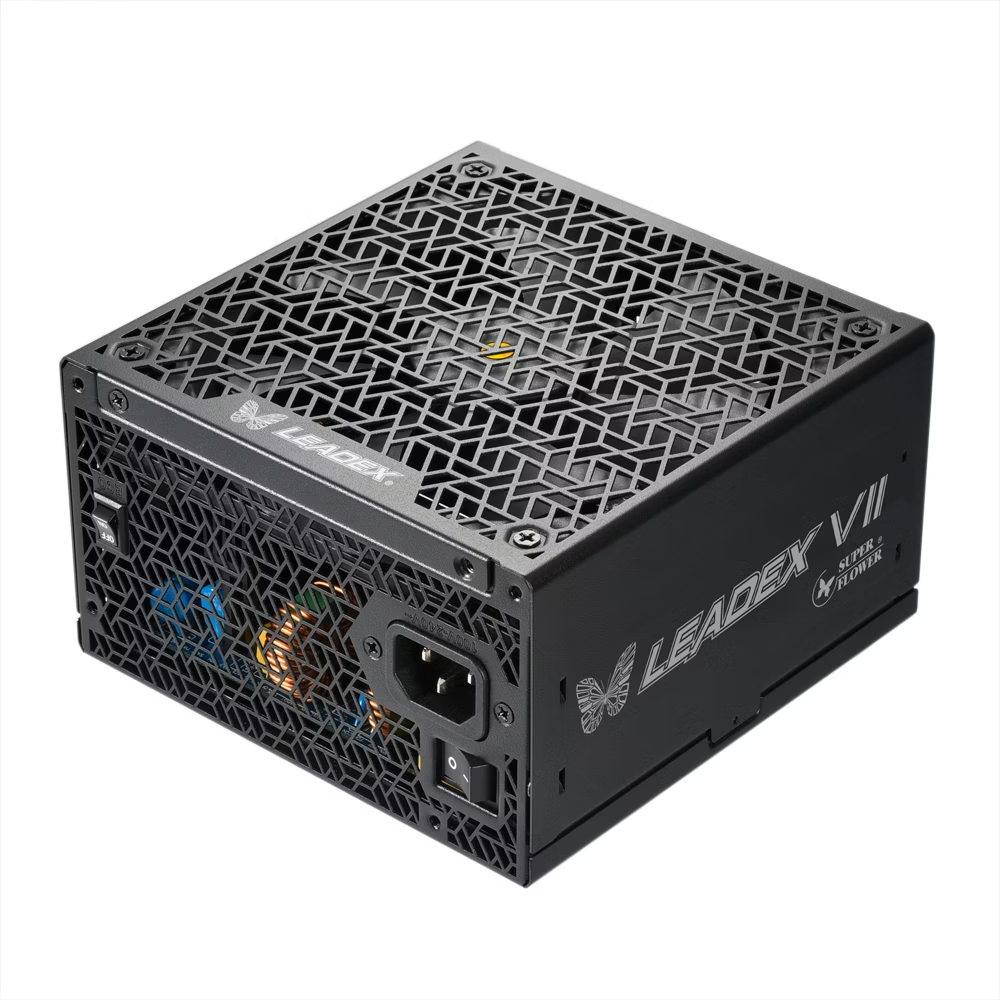
The Super Flower Leadex VII XG is an 850W PSU with 80-plus gold certification, featuring a fully modular design and high-quality Japanese 105°C Capacitors.
It complies with ATX 12V v3.0 & v3.1, EPS 12V v2.92 specifications, and has a wide variety of safe protections, including:
- Over Voltage Protection
- Over Current Protection
- Over Power Protection
- Short Circuit Protection
- Under Voltage Protection
- Over Temperature Protection
- No Load Operation
- Surge & Inrush Protection
It’s recommended for upper-mid 1440p and entry 4K builds requiring a robust PSU with high efficiency on all rails, including the 12V and 5VSB ones, and powered by premium Japanese capacitors.
CORSAIR RM750x
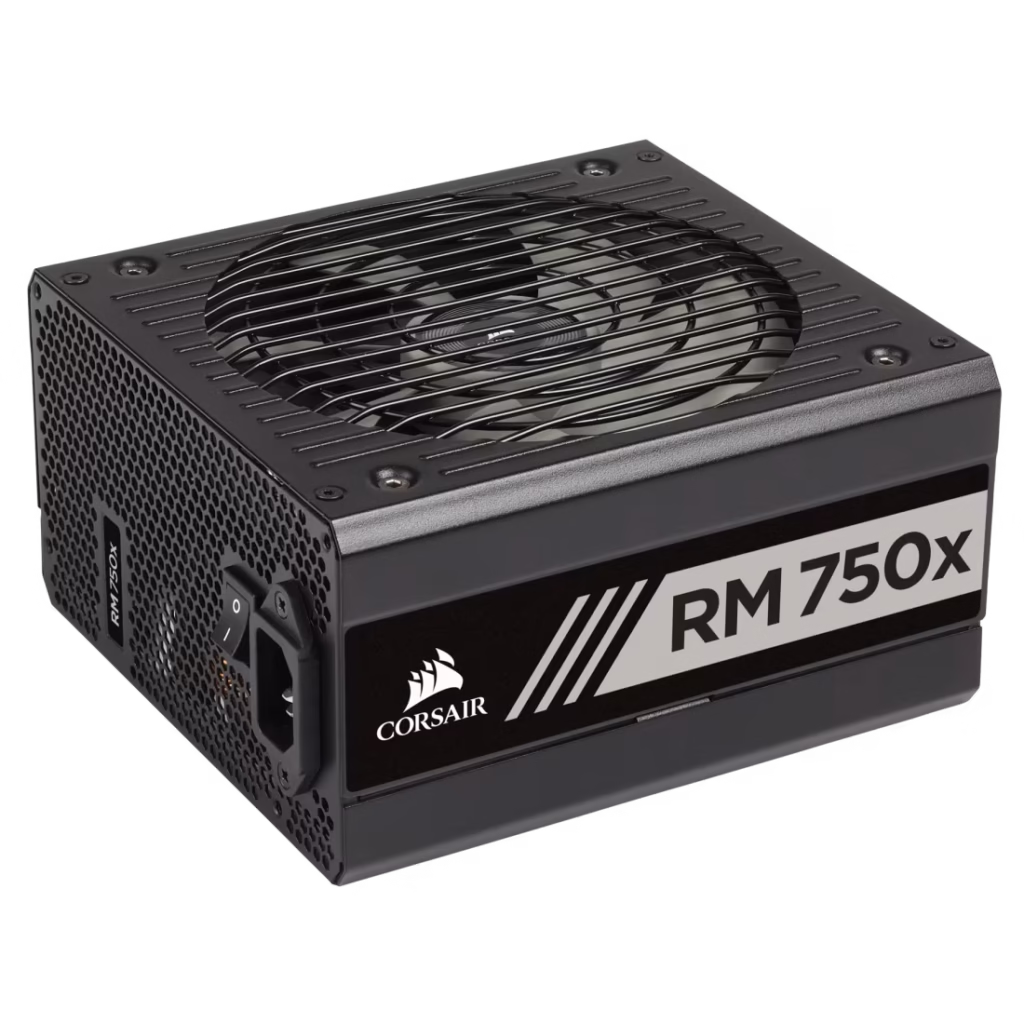
The Corsair RM750x is a 750W, 80 PLUS Gold-certified PSU powered with premium Japanese 105°C capacitors that ensure long-term stability for your gaming PC.
It’s a fully modular PSU, powered with Corsair’s Zero RPM fan mode, which keeps the PSU completely silent under low and medium loads.
The RM750x complies with modern ATX standards and supports high-end GPUs with multiple 6+2 PCIe connectors. It comes with OCP, OVP, UVP, OPP, SCP, and OTP protections.
It’s recommended for upper-mid 1440p and entry 4K builds, especially those with powerful GPUs like the RTX 4070 Super, RTX 4080, RX 7900 XT, and similar cards.
Corsair RM850x
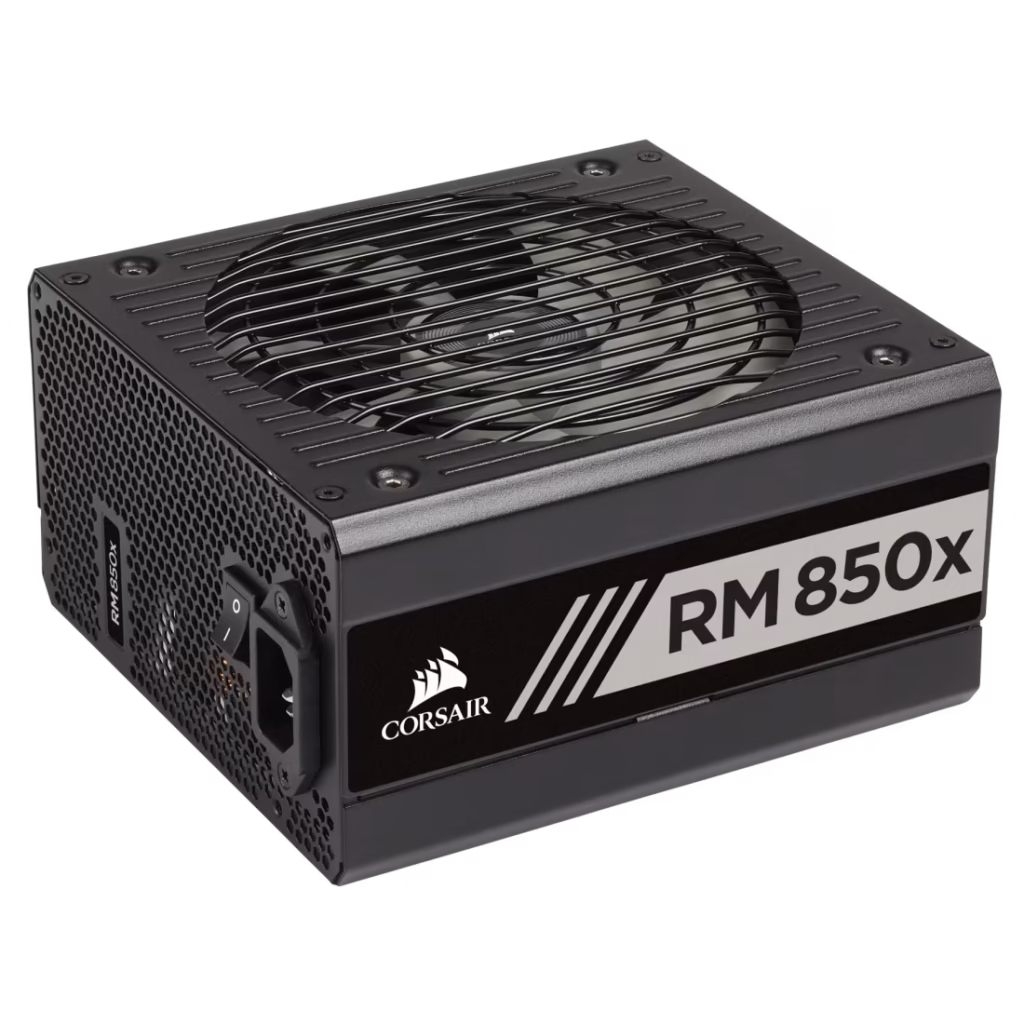
Like the RM750x, the RM850x belongs to Corsair’s RMx lineup, sharing the same gold efficiency, the same premium Japanese capacitors, and the same Zero RPM fan mode. The RM850x provides an additional 100W headroom for high-end builds.
The RM850x also complies with modern ATX standards and supports high-end GPUs with multiple 6+2 PCIe connectors. It also comes with OCP, OVP, UVP, OPP, SCP, and OTP protections.
Unlike the RM750x, the RM850x is ideal for upper-mid to high-end PCs, especially systems running intensive GPUs like the RTX 4080/4090, RX 7900 XTX, or high-end AM5/Intel i9 CPUs.
FSP Hydro PTM X PRO 850W
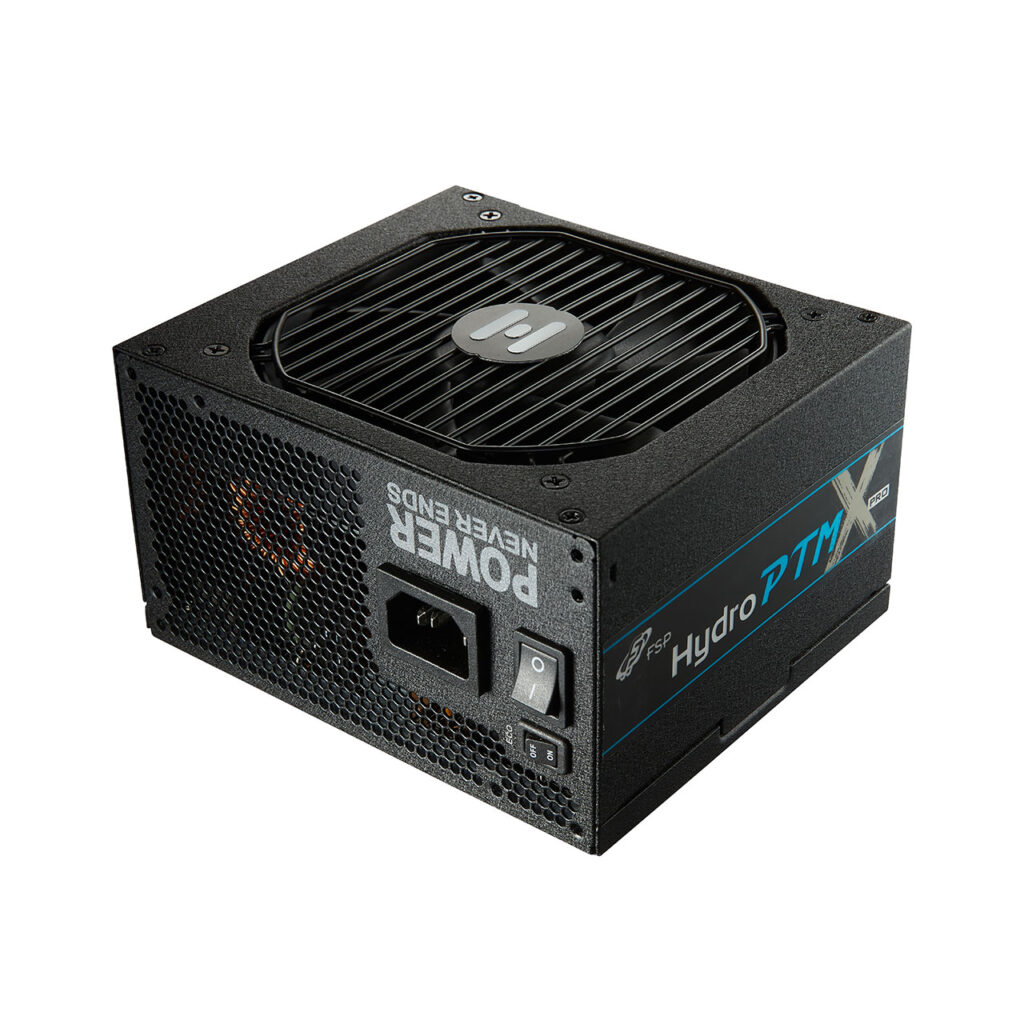
The FSP Hydro PTM X PRO 850W is a high-end ATX power supply built on FSP’s own in-house platform. It features 80 PLUS Platinum certification, which ensures a high efficiency converting AC to DC, especially under medium and high loads.
This PSU is fully modular and compliant with ATX 3.0 / PCIe 5.0, including a native 12VHPWR (12V-2×6 compatible) connector for modern high-end GPUs. Internally, it uses premium Japanese capacitors rated for 105°C, ensuring long-term reliability.
It also comes equipped with a full suite of safety protections, including:
- Over Voltage Protection (OVP)
- Over Current Protection (OCP)
- Over Power Protection (OPP)
- Short Circuit Protection (SCP)
- Under Voltage Protection (UVP)
- Over Temperature Protection (OTP)
The Hydro PTM X PRO 850W is recommended for upper-mid 1440p, high-end 1440p, and entry 4K gaming builds with power-hungry GPUs that benefit from stable Platinum-rated efficiency and strong 12V rail performance.
Corsair RM1000e
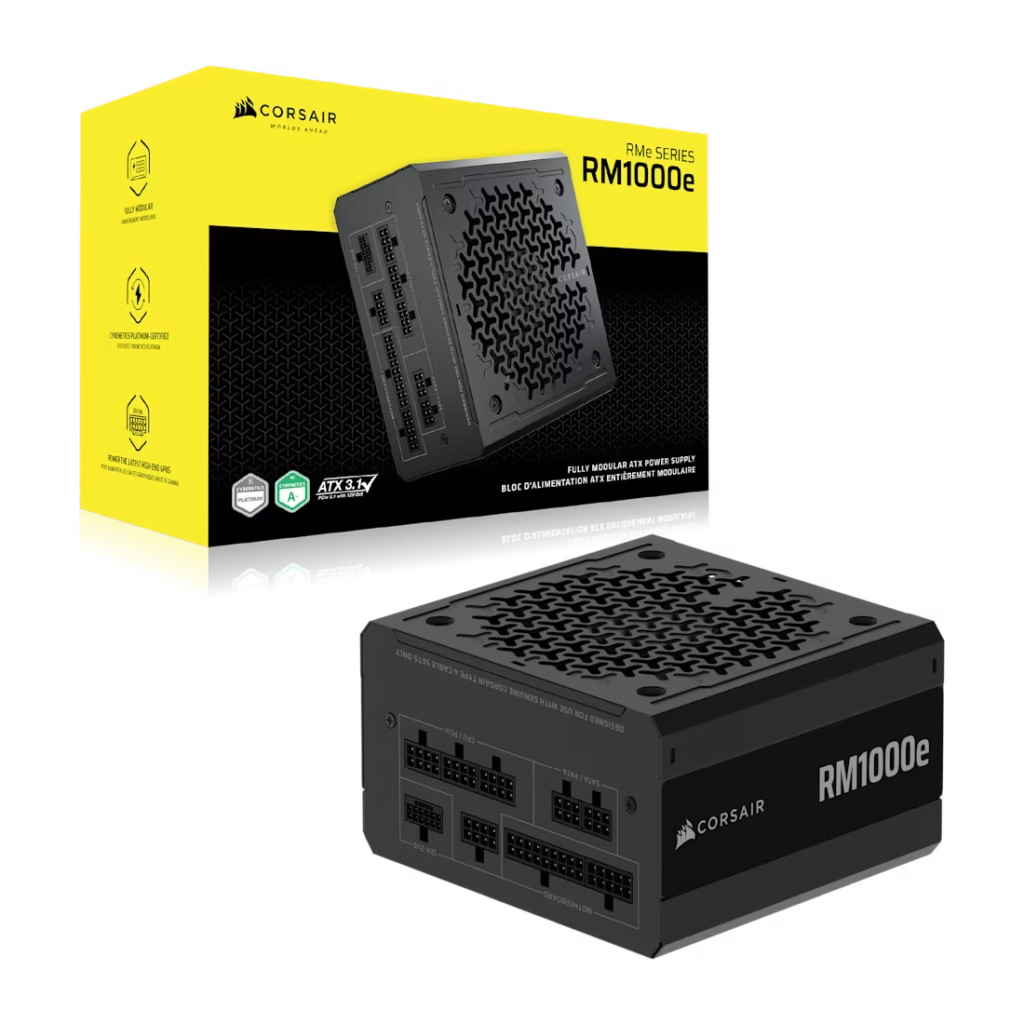
The Corsair RM1000e is a 1000W, 80 PLUS Gold-certified power supply designed for powerful gaming PCs and workstation-level builds. It is a fully modular PSU, compliant with ATX 3.1 and PCIe 5.1, and powered by Corsair’s Zero RPM fan mode, which keeps the PSU operating nearly silently at lower loads.
Internally, the RM1000e uses reliable, high-quality capacitors and a modern DC-to-DC design that maintains stable voltages across all rails, even during sudden GPU power spikes. It also includes a full range of protection, such as:
- Over Power Protection (OPP)
- Over Voltage Protection (OVP)
- Over Current Protection (OCP)
- Over Temperature Protection (OTP)
- Short Circuit Protection (SCP)
The Corsair RM1000e includes a PCIe 5.1 12V-2×6 (formally known as 12VHPWR) GPU cable for use with enthusiast-class graphics cards such as the RTX 4080 and 4090, which are part of the NVIDIA® GeForce RTX™ 40, and the RTX 5080 and 5090, which are part of the latest GeForce RTX™ 50 Series.
Talking about its lifespan, the Corsair RM1000e can run for an MTBF estimated at 100,000 hours, meaning that this PSU can run for 100,000 hours before failure. and it is backed by a 7-year warranty.
With 1000W of raw power, the RM1000e is well-suited for high-end 4K builds, and even HEDT/creator workloads, especially systems with GPUs like the RTX 4080/4090, RX 7900 XTX, or high-end Ryzen 9/Intel i9 CPUs.
Seasonic Focus GX-1000
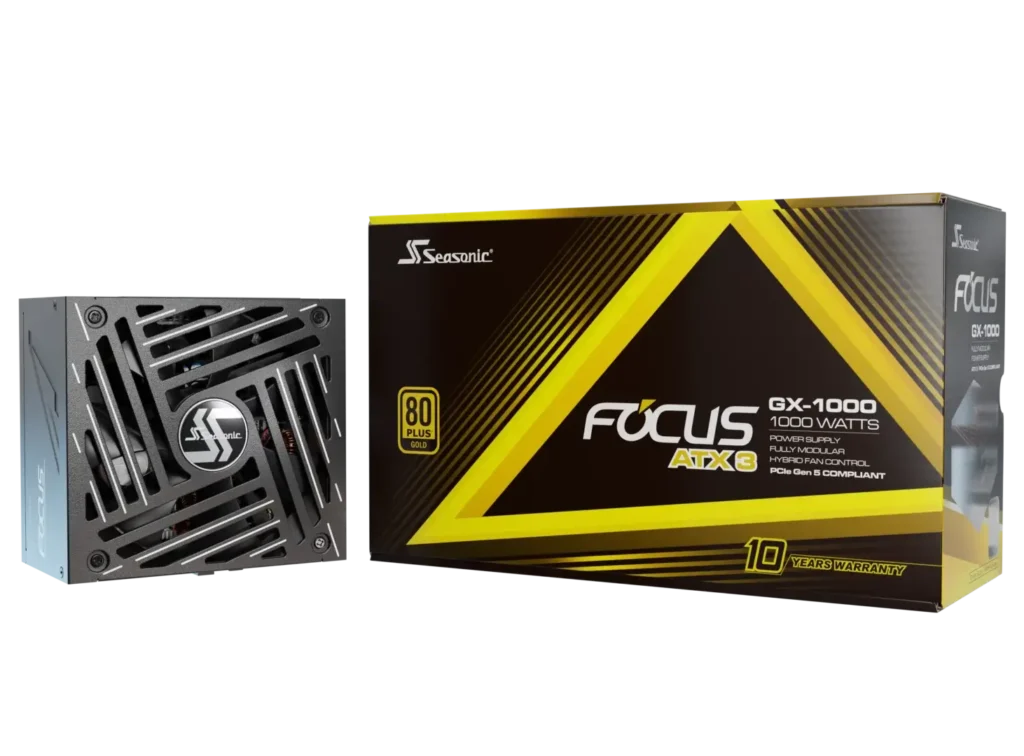
The Seasonic Focus GX-1000 is a 1000W, 80 PLUS Gold-certified, fully modular power supply built for high-end gaming PCs and workstation systems.
As part of Seasonic’s respected Focus series, it ensures high efficiency AC to DC conversion, strong electrical performance, tight voltage regulation, and excellent build quality backed by a 10-year warranty.
It utilizes a modern LLC resonant converter and high-grade Japanese capacitors. It is powered by a quiet 135mm fan with a digital hybrid fan control and fluid dynamic bearing, enabling it to remain silent during low activity sessions.
This PSU comes with a 12V – 2×6 cable for high-end GPUs ( which is a brand-new revision of 12VHPWR), along with the motherboard (24/20 pins) cable, CPU (8/4 pins) cable, and other essential cables.
The Focus GX-1000 includes all major protection features:
- Over Power Protection (OPP)
- Over Voltage Protection (OVP)
- Under Voltage Protection (UVP)
- Over Current Protection (OCP)
- Over Temperature Protection (OTP)
- Short Circuit Protection (SCP)
Thanks to its 1000W capacity, the Focus GX-1000 is ideal for upper-mid 1440p, high-end 4K, and powerful builds using enthusiast-class GPUs & high-end i9/Ryzen 9 CPUs.
Thermaltake Toughpower GF3 1200W
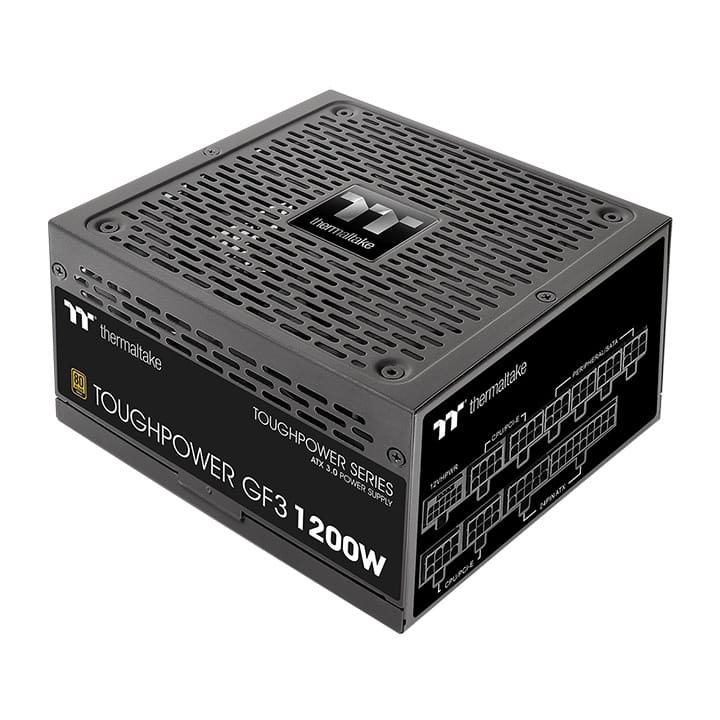
The Thermaltake Toughpower GF3 1200W is a high-efficiency, ATX 3.0 & next-gen PCIe 5.0 compliant power supply designed for high-end 4K gaming PCs, workstation builds, and powerful systems with power-intensive GPUs.
It features an 80 PLUS Gold efficiency certification, a fully modular design, and native support for 12VHPWR / 12V-2×6 connectors, making it suitable for NVIDIA RTX 4080/4090/5080/5090 and future GPUs expected to arrive soon as part of the GeForce RTX 60 series.
According to Thermaltake’s official specifications, the GF3 1200W includes a 10-year warranty and an MTBF of at least 100,000 hours. Like all PSUs listed in this guide, it comes equipped with a full suite of safety protections, including OCP, OVP, UVP, OPP, SCP, and OTP.
With its large 1200W capacity, stable 12V rail, and high transient spike tolerance, this unit is an excellent fit for high-end 4K gaming rigs using enthusiast-class GPUs and top-tier CPUs such as Intel Core i9 and Ryzen 9 processors.
NZXT C1200
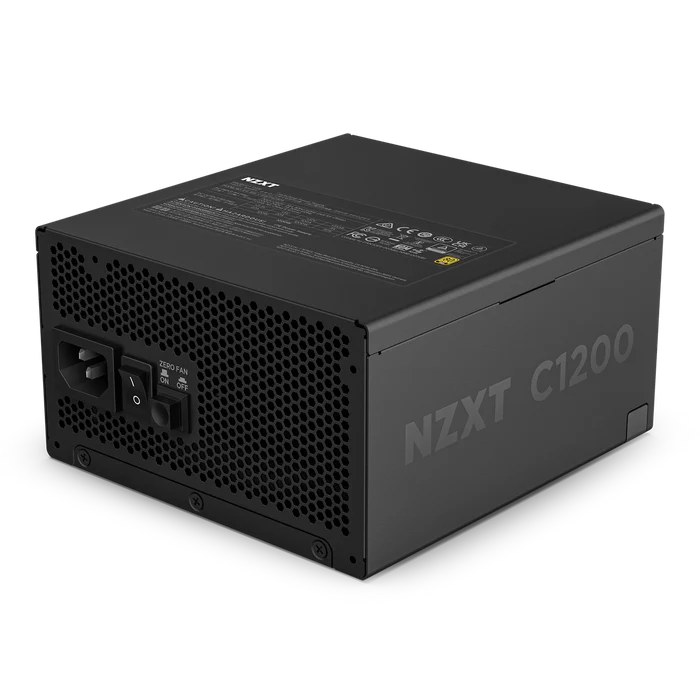
The NZXT C1200 is a high-performance, ATX 3.1-compliant power supply designed for 4K gaming builds, high-end editing workstations, and any PC running flagship CPUs and GPUs. It’s backed by a 10-year warranty and reliable customer support.
This PSU includes full support for PCIe 5.0 and the 12VHPWR / 12V-2×6 connector, making it fully compatible with RTX 4080, 4090, 5080, 5090, and next-gen GPUs expected in upcoming releases. Its strong 12V rail and high transient handling make it well-suited for systems that experience heavy GPU power spikes under load.
As I said, the NZXT includes a 10-year warranty, flexing its muscles and reflecting its confidence in the C1200’s long-term durability. This specific unit also features all standard safety protections, such as the OCP, OVP, UVP, SCP, OPP, and the OTP measures, which guarantee that your components will stay protected even under load.
With its 1200W capacity, modern connector support, and solid electrical performance, the NZXT C1200 is an excellent choice for high-end workstations, 4K gaming rigs, and any PC running enthusiast-class CPUs and GPUs.
Disclaimer: Always aim for the best hardware when it comes to PSUs. They are one of the few components where going cheap is really dangerous. So, no ultra-cheap and no-name brands (especially those from China). In worst-case scenarios, a bad PSU will permanently damage your GPU, CPU, or motherboard. Spending a little more on a good quality PSU will always cost far less than replacing expensive, damaged hardware later.